Viewing 1 - 7 of 7 Results
View Filters
Sale
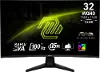
MSI MAG 244C Curved Gaming Monitor 24-Inch FHD 180Hz
0 stars (0 reviews)
$79.99
$10,000.00Save $9920
Sale
Sale
MSI MAG S74QF X24 27  IPS Gaming Monitor
MSI MAG S74QF X24 27" IPS Gaming Monitor
0 stars (0 reviews)
$199.99
$249.99Save $50
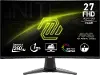
MSI MAG 274F GAMING MONITOR
0 stars (0 reviews)
$149.99
New Arrival
New Arrival

#myrcwilleyhome

See how real customers are transforming their spaces with RC Willey. Get inspired, share your style, and create a space that's Your Home. Your Way.

Explore Now

Find the Best Gaming Monitor at RC Willey

When it comes to gaming, your monitor is more than just a screen—it’s your window into every world, every battle, and every victory. The right gaming monitor can sharpen your visuals, smooth out your gameplay, and give you the competitive edge you need. Whether you’re searching for the best gaming monitor for esports, an ultrawide display for gaming that pulls you into open-world adventures, or a budget-friendly option for casual play, RC Willey has you covered.

Why Your Monitor Matters in Gaming

When it comes to gaming, your display is just as important as your console or PC. The best gaming monitor can make the difference between spotting your opponent in time or missing the moment completely. A quality display for gaming delivers smooth visuals, fast response times, and rich colors that keep you fully immersed in the action.

Whether you’re into competitive esports, casual console gaming, or exploring massive open-world RPGs, your monitor is the window into your gaming world. And at RC Willey, we know that choosing the right gaming monitor isn’t just about specs—it’s about finding the one that fits your setup, your play style, and your budget.

A powerful graphics card can only go so far. Without a display that matches its performance, you’ll deal with lag, screen tearing, or muddy colors that take away from the experience. That’s why investing in a great gaming monitor is one of the smartest upgrades you can make for your setup.

What Makes a Great Gaming Monitor?

With so many monitors out there, it can be tough to know what actually matters. Do you go for the highest resolution? The fastest refresh rate? The biggest screen size? The truth is, the best gaming monitor balances performance features with your gaming style and space. Here’s what you need to know:

Refresh Rate (Hz)

Measured in hertz (Hz), the refresh rate tells you how many times per second your screen updates with new images. Standard monitors run at 60Hz, but for gaming, higher is better.

  • 120Hz, 144Hz, or 165Hz – A sweet spot for most PC gamers, offering fluid motion and responsive gameplay.
  • 240Hz and above – Ideal for competitive gamers who need every millisecond advantage in fast-paced shooters or esports titles.
  • Console gaming – If you play on next-gen consoles like the Xbox Series X or PlayStation 5, a 120Hz gaming monitor makes a noticeable difference.

A higher refresh rate means smoother motion, less blur, and a serious edge in competitive play.

Response Time

Response time measures how quickly a pixel can change from one color to another. The lower the response time, the less motion blur you’ll see.

  • 1ms–2ms – Best for fast-action games like shooters or racing titles.
  • 4ms–5ms – Still great for most gamers, especially if you’re more focused on RPGs, casual play, or strategy games.

When paired with a high refresh rate, low response times keep your display crisp and responsive, giving you a more immersive experience.

Resolution (1080p, 1440p, 4K)

Resolution is all about how sharp your picture looks. The higher the resolution, the more detail you’ll see on-screen.

  • 1080p (Full HD) – Affordable, easier on your graphics card, and still the most common resolution for competitive gaming monitors.
  • 1440p (Quad HD) – A great middle ground. Sharper than 1080p without being as demanding as 4K, making it one of the most popular choices for gamers.
  • 4K (Ultra HD) – The best display for gaming if you want stunning visuals and crystal-clear detail. Perfect for immersive single-player games, though you’ll need a powerful PC or next-gen console to get the most out of it.

Choosing resolution often comes down to balancing your system’s power with your gaming preferences.

Panel Types (IPS, TN, VA, OLED)

Not all monitors are built the same. The type of panel inside your display has a big impact on how it looks and performs.

  • IPS (In-Plane Switching) – Offers the best color accuracy and wide viewing angles. Perfect if you care about rich, true-to-life visuals.
  • TN (Twisted Nematic) – Known for super-fast response times and budget-friendly pricing, but color and viewing angles are weaker.
  • VA (Vertical Alignment) – Strong contrast and deep blacks, great for darker games or cinematic visuals.
  • OLED – Premium choice with unbeatable contrast, deep blacks, and vibrant colors. Ideal if you want the absolute best gaming monitor money can buy.

Each panel type has its strengths, so your choice depends on whether you prioritize speed, color accuracy, or overall image quality.

Adaptive Sync (G-SYNC, FreeSync)

Screen tearing is every gamer’s nightmare—it happens when your graphics card and monitor aren’t in sync. Adaptive sync fixes that by matching your monitor’s refresh rate to your GPU’s output.

  • NVIDIA G-SYNC – Works with NVIDIA graphics cards to deliver smooth, tear-free gameplay.
  • AMD FreeSync – Works with AMD GPUs, often more budget-friendly.

If you want buttery-smooth visuals, make sure your gaming monitor supports one of these technologies.

Best Gaming Monitor Features

Now that you know the core specs to look for, let’s talk about the features that make the best gaming monitors stand out. These extras can take your display for gaming from good to game-changing.

HDR and Color Accuracy

High Dynamic Range (HDR) brings out brighter highlights, deeper shadows, and more realistic colors. If you’re playing visually rich games, HDR support makes a huge difference. Pair HDR with a monitor that has high color accuracy, and you’ll see the game exactly as the developers intended.

This is especially valuable for open-world adventures, cinematic story-driven games, or even watching movies when you’re not gaming.

Ultrawide and Curved Displays

For gamers who want total immersion, ultrawide and curved monitors are hard to beat.

  • Ultrawide monitors (21:9 or 32:9) expand your field of view, giving you more screen space for strategy games, racing sims, or multitasking.
  • Curved monitors wrap the screen slightly around your vision, making you feel like you’re inside the game.

Not only do these monitors look impressive, but they also give you a competitive edge in certain games by letting you see more of the battlefield at once.

Size Considerations (24”, 27”, 32” and Beyond)

Size matters when it comes to finding the best gaming monitor for your setup.

  • 24-inch monitors – Compact and budget-friendly, great for competitive players who want everything in view without moving their eyes too much.
  • 27-inch monitors – A popular size for balance—large enough to enjoy immersive visuals, but still manageable for desks of all sizes.
  • 32-inch monitors and larger – Perfect for 4K gaming or curved displays. Ideal if you want maximum immersion and have the desk space to match.

Keep in mind that bigger isn’t always better. You’ll want to match your monitor size with its resolution. For example, 1080p on a 32-inch monitor may look stretched, while 1440p or 4K will shine at that size.

Gaming Monitor for Different Gamers

Not all gamers play the same way—and not every gaming monitor needs to be built for the same purpose. The best display for gaming is the one that fits your play style. Here’s how to match your monitor to the kind of gamer you are.

Competitive Esports Players

If every millisecond counts, a high-performance gaming monitor can give you the edge. For esports and competitive titles like Call of Duty, Valorant, Fortnite, or Overwatch, the top priorities are:

  • High refresh rates (144Hz to 240Hz) – Smooth motion and faster screen updates mean you see enemies before they see you.
  • Low response times (1ms–2ms) – Keeps fast-moving action crystal-clear without blurring.
  • Adaptive sync – Prevents screen tearing when your graphics card is pushing out frames at top speed.

Competitive players often stick to 24–27 inch monitors in 1080p or 1440p. Why? Smaller screens keep everything in view without needing to move your eyes too far, helping you react faster.

Casual and Console Gamers

If you love to play a few hours after work or relax with a console on the weekend, you’ll want a balance between performance and picture quality.

  • 120Hz refresh rate – Perfect for next-gen consoles like the PS5 and Xbox Series X.
  • 27–32 inch size – Larger screens make casual play more immersive.
  • 4K resolution – Ideal for consoles that support Ultra HD, delivering stunning visuals for story-driven games.

For console players, a monitor with HDMI 2.1 support is especially important, as it allows you to take full advantage of higher frame rates and resolutions on newer systems.

Immersive RPG and Adventure Gamers

If you love getting lost in expansive open worlds like Elden Ring, The Witcher, or Cyberpunk 2077, then immersion is your top priority.

  • Ultrawide or curved displays – Pull you into the world with a panoramic view.
  • High resolution (1440p or 4K) – Brings out rich details in landscapes, armor, and environments.
  • HDR support – Makes lighting, sunsets, and atmospheric effects look more lifelike.

RPG and single-player gamers often lean toward larger screens (32 inches or more) paired with high resolutions, giving you a cinematic experience right at your desk.

Multi-Taskers and Streamers

If you’re streaming your gameplay, working on creative projects, or multitasking while you game, an ultrawide gaming monitor can be a game-changer.

  • Extra screen real estate – Perfect for keeping your game on one side and your streaming software or chat on the other.
  • Strong color accuracy (IPS or OLED panels) – Ensures your content looks great for your audience.
  • High refresh rates – Still deliver smooth gaming performance while balancing other tasks.

RC Willey Gaming Monitor Selection

At RC Willey, we know gamers come in all types—from casual players to competitive pros—and we’ve built our gaming monitor selection to match. When you shop with us, you’ll find the best gaming monitors from brands you trust, plus expert advice to help you pick the right one.

Trusted Gaming Monitor Brands

We carry monitors from some of the top names in the industry, so you can shop confidently knowing you’re getting quality:

  • Samsung – Known for stunning curved and ultrawide displays that deliver immersive experiences.
  • LG – A leader in OLED gaming monitors, offering unbeatable color and contrast.
  • ASUS & Acer – Popular with esports players for their lightning-fast refresh rates and pro-level features.
  • MSI – Strong performance at gamer-friendly prices, perfect for PC builds.
  • Dell/Alienware – Stylish designs with premium specs for serious gamers.

No matter your brand preference, RC Willey has a gaming monitor that fits your needs.

Budget-Friendly to Premium Options

We believe the best gaming monitor is the one that balances your budget with your gaming goals. That’s why our selection ranges from:

  • Entry-level monitors – Perfect for casual players or first-time PC builds.
  • Mid-range displays – Feature-packed monitors with 144Hz refresh rates, 1440p resolution, and great value for money.
  • High-end monitors – 4K, OLED, ultrawide, and curved displays designed for maximum immersion and performance.

With RC Willey financing options, it’s easy to upgrade your display for gaming without stretching your budget too far.

Create Your Perfect Gaming Setup

The right gaming monitor is only part of the experience. At RC Willey, you can complete your setup with:

  • Gaming desks – Built for comfort, cable management, and style.
  • Gaming chairs – Ergonomic support so you can play longer without discomfort.
  • Accessories – Headsets, keyboards, and lighting to round out your battle station.

When you shop gaming monitors at RC Willey, you’re not just buying a display—you’re building a space designed to make every gaming session more enjoyable.

Why Shop RC Willey?

Shopping for the best gaming monitor online can feel overwhelming, but at RC Willey, we make it simple:

  • Expert advice – Our team can help you match your monitor to your system and play style.
  • In-store experience – See monitors side-by-side before making your choice.
  • Flexible financing – Upgrade now and pay over time.
  • Trusted service – From delivery to protection plans, we’re here to support your purchase long-term.

Care & Setup Tips for Your Gaming Monitor

Getting the best gaming monitor is only half the battle—the way you set it up matters just as much. Proper setup not only improves your gaming performance but also keeps you comfortable during long sessions. Here are some tips to help you create the ultimate display for gaming.

Proper Monitor Height and Distance

Your monitor’s placement affects your comfort and your focus.

  • Height – The top of your gaming monitor should sit roughly at or slightly below eye level. This reduces neck strain and makes it easier to keep your eyes on the action.
  • Distance – A good rule of thumb is to sit about an arm’s length (roughly 20–30 inches) from the screen. For larger ultrawide monitors, you may need to sit a little farther back to take in the full picture.
  • Angle – Tilt the monitor slightly upward (about 10–20 degrees) to avoid glare and keep your neck in a natural position.

For competitive gamers, positioning your monitor correctly can make you more responsive, while casual players will notice less fatigue after long sessions.

Cable Management for a Clean Setup

Nothing ruins the look of a great gaming setup like a mess of tangled wires. Cable management not only keeps your space tidy but also helps with airflow and prevents accidental disconnections.

  • Use cable clips or sleeves to bundle wires neatly behind your desk.
  • Route cables through your desk if it has built-in grommets or holes.
  • Label your cords so you can quickly identify which cable goes to which device.
  • Upgrade to wireless peripherals (keyboard, mouse, headset) to cut down on clutter.

A clean setup isn’t just about aesthetics—it helps you focus on the game instead of getting distracted by chaos on your desk. At RC Willey, we also carry gaming desks with built-in cable management, making it easy to keep your station looking sharp.

FAQs: Choosing the Best Gaming Monitor

When shopping for the best gaming monitor, it’s normal to have questions. Here are some of the most common ones we hear at RC Willey, along with answers to help you make the right choice.

  • What’s the best gaming monitor size?

    The best gaming monitor size depends on your space, resolution, and gaming style.

    • 24-inch monitors are great for competitive players who need to see everything on screen quickly.
    • 27-inch monitors hit the sweet spot for most gamers, balancing size, resolution, and desk space.
    • 32-inch monitors or larger are ideal for immersive 4K gaming or curved ultrawide displays.

    If you’re looking for the most versatile option, a 27-inch gaming monitor with 1440p resolution is one of the most popular choices today.

  • Is 144Hz good for gaming?

    Yes—144Hz is one of the best refresh rates for gaming. It’s fast enough to deliver smooth visuals for competitive games, while still being affordable and widely available. Casual players, console gamers, and esports enthusiasts alike can all benefit from a 144Hz display for gaming.

    If you’re serious about competitive play, you may want to consider 240Hz or even 360Hz monitors, but for most people, 144Hz is more than enough.

  • Do I need 4K for gaming?

    Not necessarily. While 4K looks stunning, it requires a powerful graphics card or next-gen console to run smoothly.

    • 1080p (Full HD) – Best for competitive players who want high frame rates.
    • 1440p (Quad HD) – A great balance between performance and visuals, making it one of the most popular resolutions for PC gaming.
    • 4K (Ultra HD) – Best for gamers who prioritize immersion and cinematic visuals.

    If you want the best display for gaming with sharp detail and can support it with your system, 4K is incredible. But if you’re more focused on speed, 1440p or 1080p might be the smarter choice.

  • What’s the difference between a gaming monitor and a regular monitor?

    A gaming monitor is built for performance. Here’s how it differs:

    • Higher refresh rates for smoother visuals.
    • Lower response times to reduce motion blur.
    • Adaptive sync technology (FreeSync or G-SYNC) for tear-free gameplay.
    • Special features like HDR, ultrawide screens, or curved displays for immersion.

    A regular office monitor might be fine for browsing or spreadsheets, but the best gaming monitors are designed to keep up with the speed and intensity of modern games.

  • Do I need G-SYNC or FreeSync?

    If you want smooth gameplay without screen tearing, yes.

    • G-SYNC works with NVIDIA graphics cards.
    • FreeSync works with AMD graphics cards.

    Many modern monitors support both, so you can enjoy adaptive sync no matter what GPU you’re running.

  • Is an ultrawide gaming monitor worth it?

    If you love immersive, cinematic experiences or multitasking, ultrawide monitors are absolutely worth it. You’ll see more of the battlefield in competitive games and enjoy panoramic views in open-world adventures. Plus, ultrawides are perfect for streamers who need extra screen space for chat and software.

  • How long do gaming monitors last?

    With proper care, a quality gaming monitor can last 7–10 years or more. Cleaning your screen regularly, avoiding static images for long periods, and managing cables properly all extend your monitor’s life. Choosing a trusted brand from RC Willey also means you’ll get durability and support.

Experience Gaming the Way It Was Meant to Be Seen

No matter your style of play, upgrading to the best gaming monitor can transform your setup and take your experience to the next level. From high refresh rates and 4K resolution to ultrawide curved displays, the right monitor makes every game look and feel better. At RC Willey, we carry a wide selection of gaming monitors from top brands, with expert advice, flexible financing, and trusted service to help you find the perfect fit. Shop RC Willey today and bring home a display for gaming that’s built for how you play.