Results for: TV Wall Mounts
#myrcwilleyhome
See how real customers are transforming their spaces with RC Willey. Get inspired, share your style, and create a space that's Your Home. Your Way.
Explore NowTV Wall Mounts — Give Your TV the Setup It Deserves
There's something satisfying about a TV mounted cleanly on the wall. No bulky stand taking up floor space, no awkward viewing angles, just your screen right where you want it. Whether you're setting up a living room, bedroom, or home theater, a TV wall mount is one of the easiest upgrades you can make — and RC Willey has the selection to get it done right.
Browse our full lineup of TV mounts and find the perfect fit for your screen, your wall, and your space.
Why Wall Mount Your TV?
Still on the fence? Here's why so many homeowners are making the switch:
- Better viewing angles: You control exactly where your screen sits, so everyone in the room gets a great view.
- More floor space: Ditch the TV stand and free up room for furniture, décor, or just more breathing room.
- Cleaner look: A wall-mounted TV gives any room a sleek, intentional feel.
- Safer for families: Wall mounting can help prevent dangerous TV tip-overs, which send hundreds of kids to the emergency room every year.
- Flexible placement: Mount your TV in a spot that works for your room layout, not just where a stand will fit.
Types of TV Wall Mounts
Choosing the right mount starts with knowing your options. Here's a breakdown of the three main styles:
| Mount Type | How It Works | Best For |
|---|---|---|
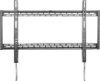
| Fixed Mount | Holds TV flat against the wall, no movement | Rooms where you always sit directly in front of the tv |
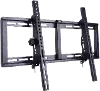
| Tilt Mount | Angles the screen up or down | TVs mounted higher up, above a fireplace, or in bedrooms |
| Full Motion (Articulating) | Extends, tilts, and swivels in multiple directions | Corner placements, open floor plans, or rooms with multiple seating areas |
Fixed mounts are the simplest and lowest-cost option, placing the TV closer to the wall for a clean, picture-frame look. Tilt mounts sit a bit further from the wall and let you angle the screen downward, which is great for reducing glare or compensating for a higher mounting position. Full-motion mounts offer the greatest flexibility, moving in nearly any direction.
Not sure which type fits your setup? Our team can help you find the right match.
What to Know Before You Buy a TV Mount
Getting the right mount is easier than you'd think. Just work through these four things before you shop:
- Know your TV's VESA pattern. Almost all TVs have four mounting holes on the back, arranged in a standard VESA pattern. Common sizes include VESA 200x200 for TVs up to 32 inches, VESA 400x400 for TVs up to 60 inches, and VESA 600x400 for larger screens. You can find your TV's VESA specs in the owner's manual or under product specifications online.
- Check the weight rating. Every mount has a maximum weight limit. Make sure the mount you choose is rated to handle your TV's weight — and if you're close to the limit, go with a higher-rated mount for extra peace of mind.
- Think about your wall type. Most TV mounts work with standard wood-stud framing and drywall, but you may need special hardware for walls made of plaster, concrete, or brick. Check your wall type before buying so you have everything you need on install day.
- Pick a mount style that fits how you watch. Think about where you'll be sitting relative to the TV. If you'll always be directly in front of it, a fixed mount works great. If your seating arrangement varies or your TV will be mounted high, a tilt or full-motion mount gives you the flexibility to dial in the perfect angle.
Finding the Right Mounting Height
A great rule of thumb is to position the center of the TV screen at eye level from wherever you'll be sitting most — for most people, that puts the middle of the screen about 42 inches off the floor.
The best way to confirm your ideal height before drilling? Have someone hold the TV against the wall while you sit in your usual spot. Move it up or down until it feels right. No neck craning, no awkward tilting — just a comfortable view every time.
A few room-by-room tips:
- Living room: Mount at seated eye level, typically centered on the wall or in a corner with a full-motion mount.
- Bedroom: Lie down in your usual watching position first and test from there — bedroom TVs often end up higher than you expect.
- Kitchen: Standing height works best so you can catch your show while you're cooking.
Wall Mount vs. TV Stand: Which Is Right for You?
Not sure if mounting is the right move? Here's a quick side-by-side to help you decide:
| TV Wall Mount | TV Stand | |
|---|---|---|
| Space | Frees up floor space | Requires floor/furniture space |
| Look | Clean, modern, built-in feel | More traditional, furniture-integrated |
| Flexibility | Fixed to one location | Easy to reposition |
| Cable Management | Requires planning | Easier access to ports | Safety | Secured to wall, out of reach | Needs anti-tip straps with kids/pets |
| Viewing Angle | Fully customizable | Limited by stand position |
Both options have their place. If you're working with a small room, want a polished look, or have young kids or pets at home, a wall mount is hard to beat. If you love flexibility or have a lot of components to organize below the TV, a stand setup might suit you better.
Frequently Asked Questions
- Can any TV be wall mounted? Most modern flat screen TVs can be wall mounted. The key requirement is that your TV has VESA mounting points on the back, and virtually all TVs made in the last decade do. Check your TV's specs or owner's manual to confirm.
- Do I need to mount into studs? Yes, in almost every case. Drywall alone isn't strong enough to support the weight of a mounted TV over time. Use a stud finder to locate the studs in your wall and anchor the mount directly into them. For lightweight TVs under 30 lbs, heavy-duty toggle bolts may work in a pinch, but anchoring into studs is always the safer choice.
- How far from the wall does a TV mount stick out? It depends on the mount type. Fixed mounts sit very close to the wall, often just an inch or two. Tilt mounts sit a bit further out. Full-motion mounts can extend several inches when in use but typically fold back close to the wall when not in use.
- Is it hard to install a TV wall mount myself? Most mounts are DIY-friendly and come with all the hardware you need. You'll want a stud finder, a drill, and a level — and a second person to help lift and align the TV once the bracket is in place. Many mounts come with a template you can use to position and drill the holes. If you'd rather leave it to the pros, professional installation is also available.
- What about hiding the cables? Cable management is one of the most common concerns, and there are great options available. In-wall cable kits give you the cleanest look. Cable raceways (also called cord covers) are a simpler option that stick to the wall and can be painted to match. Either way, it's worth planning your cable route before you start drilling.
- Can I mount my TV above a fireplace? It's a popular spot, but there are a few things to keep in mind. Heat and smoke from a fireplace can shorten the lifespan of your TV over time. The bigger concern for most people is viewing angle — a TV mounted too high above a fireplace can cause real neck strain during extended viewing. If you go this route, a tilt or full-motion mount helps you angle the screen down to a more comfortable position.
Shop TV Wall Mounts at RC Willey
Ready to upgrade your setup? RC Willey carries a wide selection of TV wall mounts for every screen size, wall type, and room layout. Whether you're looking for something simple and sleek or a full-motion mount with maximum flexibility, you'll find it here — along with the brands and price points that make sense for your home.
Find your perfect TV mount today and get your screen right where you want it. Browse our site for our wide selection of TVs that fit your home!