Viewing 1 - 32 of 66 Results
Sort by:
View Filters
Web Exclusive
Sale
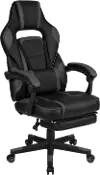
VERNAZZA-SPSF-PBK Vernazza Soft Game and Office Chair
Vernazza Soft Game and Office Chair
0 stars (0 reviews)
$399.99
$499.99Save $100
Sale
Web Exclusive
Sale
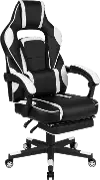
TORRETTA-SPU-WT Torretta White Gaming Chair
Torretta White Gaming Chair
0 stars (0 reviews)
$299.99
$399.99Save $100
Web Exclusive
Web Exclusive
Web Exclusive
Sale
Web Exclusive
Web Exclusive
Web Exclusive
Web Exclusive
Web Exclusive
Web Exclusive

#myrcwilleyhome

See how real customers are transforming their spaces with RC Willey. Get inspired, share your style, and create a space that's Your Home. Your Way.

Explore Now

Gaming Chairs — Built for the Long Session

A gaming chair is more than a place to sit. It's where you spend hours locked into a match, grinding through a campaign, or grinding through a workday from your home setup. The right chair keeps your back supported, your posture honest, and your focus where it belongs — on the screen, not on the discomfort building in your lower back or shoulders.

The gaming chair market has matured significantly. Today's best gaming chairs — and the ergonomic gaming chairs pushing the category forward — have moved well past racing-style aesthetics and into genuine support engineering. Adjustable lumbar systems, 4D armrests, breathable materials, and recline mechanisms that actually work for long-session sitting are now the standard at any serious price point. Whether you're shopping for your first gaming chair or upgrading a setup that isn't working anymore, RC Willey has the selection to get you there.

Browse gaming chairs at RC Willey and explore our full gaming collection to build the complete setup.

What Are the Benefits of Using a Gaming Chair?

The case for a good gaming chair starts with time. Most casual gamers sit for two to four hours per session. Competitive players, streamers, and work-from-home setups push that into six, eight, or more hours daily. Standard chairs — and especially cheap desk chairs — aren't designed for that duration. Here's what a quality gaming chair brings to the table.

Lumbar support that actually fits your spine. Lower back pain during and after long sessions is the most common complaint among gamers who haven't invested in proper seating. Ergonomic gaming chairs with adjustable lumbar support — either a built-in mechanism or a separate lumbar pillow — keep the natural curve of the lower spine supported throughout a session rather than letting it collapse under prolonged sitting.

Neck and shoulder support. A headrest pillow or integrated neck support positions the cervical spine correctly relative to the monitor, reducing the forward-head posture that leads to neck stiffness and tension headaches during long sessions.

Posture-correcting design. Gaming chairs are shaped to encourage upright posture — high backrests, structured seat bolsters, and supportive cushioning all work together to keep the body in a healthier sitting position for longer without constant conscious effort.

Adjustability for your specific body. Seat height, armrest position, recline angle, lumbar depth — the more of these you can dial in to fit your dimensions and sitting preferences, the more comfortable and sustainable long-session sitting becomes.

Dual-use value. The best gaming chairs double effectively as work-from-home office chairs. If your desk chair is handling both gaming sessions and a full workday, the investment in a quality ergonomic gaming chair pays off across both uses.

What Are the Different Types of Gaming Chairs?

The gaming chair category covers a wider range of styles than most shoppers expect. Here's a breakdown of the main types you'll find.

Racing-Style Gaming Chairs

Racing-style gaming chairs are the most recognizable in the category — high bucket seat backs, bold color combinations, prominent side bolsters, and an aesthetic borrowed from motorsport. Most feature faux leather upholstery, a reclining backrest, adjustable armrests, and removable lumbar and headrest pillows. They're the most widely available style at every price point and remain the default choice for shoppers who want a dedicated gaming aesthetic.

The bolsters on racing-style chairs are worth paying attention to. Wider bolsters suit larger frames and allow more freedom of movement. Narrower bolsters provide more lateral support for smaller frames but can feel constricting if the chair isn't properly sized to the sitter.

Ergonomic Gaming Chairs
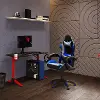
Ergonomic gaming chairs prioritize spinal support and adjustability over aesthetic. Many draw heavily from premium office chair design — mesh backrests, multi-zone lumbar systems, seat depth adjustment, and tilt tension controls are common features. Brands like Secretlab with their Titan Evo, and the crossover category of chairs developed in collaboration with Herman Miller and Logitech, sit at the intersection of gaming and office ergonomics. These chairs typically cost more than racing-style alternatives but deliver meaningfully better long-session comfort and are better suited to eight-plus-hour sitting days.

Rocker and Floor Gaming Chairs
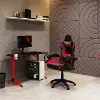
Rocker gaming chairs sit directly on the floor and rock back and forth — no legs, no height adjustment. They're designed for console gaming on a couch-style setup and typically include built-in speakers and audio connectivity for an immersive experience. Floor gaming chairs aren't a good match for desk-based PC gaming but are worth considering for a dedicated console gaming space or home theater room.

Bean Bag and Lounge Gaming Chairs
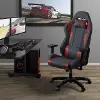
Bean bag and oversized lounge chairs occupy the more casual end of the gaming chair category. They're comfortable for shorter, more relaxed gaming sessions and work well in shared living spaces where a dedicated gaming setup isn't the goal. They offer minimal ergonomic support compared to purpose-built gaming chairs and aren't recommended for long-session use.

PC Gaming Chairs with Footrests

Some gaming chairs include a retractable or adjustable footrest that extends from the base, allowing a full reclined lounging position. These are particularly popular for streamer and hybrid setups where the chair moves between gaming, watching content, and resting positions throughout the day. Footrest chairs tend to have more generous recline angles — some reaching 135 to 180 degrees — and wider seat pans to accommodate a wider range of sitting positions.

What Materials Are Commonly Used in Gaming Chairs?

Material choice affects how a gaming chair feels, how long it lasts, and how comfortable it is across long sessions. Here's what's typically used and what to expect from each.

PU Leather and Faux Leather

PU leather is the most common gaming chair material and covers the majority of racing-style chairs at every price point. It's easy to wipe clean, holds its appearance well with basic care, and gives gaming chairs their characteristic sleek look. The tradeoff is breathability — PU leather doesn't allow airflow, which means heat and moisture can build up during long sessions. Higher-end PU leather formulations are more durable and wear more slowly than budget options, so quality varies significantly between price tiers.

Fabric and Woven Upholstery

Fabric and woven upholstery gaming chairs breathe better than PU leather alternatives, making them noticeably more comfortable during extended sessions in warmer environments. They're less straightforward to clean than leather-look options — spills require prompt attention — but they tend to be softer to the touch and more comfortable against bare skin. Premium woven upholstery with high-strength fibers, used by brands like Secretlab on their SoftWeave fabric chairs, adds durability to the breathability benefit.

Mesh

Mesh backrests have migrated from premium office chairs into the gaming chair category as ergonomic gaming chairs have grown in popularity. A mesh back allows continuous airflow across the entire back surface, which is a meaningful comfort advantage over solid upholstery in any session lasting more than an hour. The Herman Miller Aeron and Sayl gaming chairs use mesh construction throughout, and several other brands now offer mesh-back options in the mid-to-upper price range. Mesh construction also conforms dynamically to movement, which supports natural posture changes better than rigid foam-backed alternatives.

Foam Density and Cushioning

Foam quality matters significantly to long-session comfort and matters more at longer sitting durations. High-density cold-cure foam holds its shape better over time and distributes weight more evenly than lower-density alternatives that compress and bottom out under sustained use. Some premium gaming chairs now use dual-layer cushioning — a firmer base layer for support and a softer top layer for comfort — which provides a better result than single-density foam at either extreme.

How to Choose the Right Size Gaming Chair

Sizing is one of the most overlooked factors in gaming chair shopping — and one of the most consequential for actual comfort. A chair that doesn't fit the sitter's body correctly can't deliver the ergonomic benefits it's designed for, regardless of how adjustable it is.

Most gaming chair brands offer small, standard, and XL sizing. Here's how to approach the decision.

Seat height range: Your feet should rest flat on the floor with knees at approximately a 90-degree angle. Check the chair's seat height adjustment range — typically 16 to 21 inches — and confirm your leg length falls within it. If you're shorter than 5'4" or taller than 6'2", verify specifically that the chair's height range accommodates your proportions.

Seat width and depth: The seat pan should be wide enough that your hips aren't pressing against the bolsters, and deep enough that you can sit with your back against the backrest without the front edge cutting into the backs of your knees. Most standard chairs suit a range of 5'4" to 6'1". XL chairs accommodate broader frames and taller sitters up to around 6'4" to 6'6".

Weight capacity: Always check the chair's stated weight capacity. Standard gaming chairs are typically rated for 250 to 300 pounds. XL and heavy-duty models extend that range to 400 pounds and above.

Backrest height: Taller sitters need a higher backrest to support the full length of the spine and keep the headrest in the right position. If your head sits above the headrest at normal sitting height, the chair is too short for your torso — an XL or tall variant is the right call.

Build Height Range Recommended Chair Size Weight Capacity To Look For
Smaller Frame Under 5'4" Small or standard 250 lbs+
Average Frame 5'4" to 6'1" Standard 250-300 lbs
Taller Or Broader Frame 6'1" to 6'4" XL 300-400 lbs
Large Or Heavy Frame 6'4"+ or 250 lbs+ XL or heavy-duty 400 lbs+

How to Adjust a Gaming Chair for Optimal Comfort

Getting the most out of a gaming chair isn't just about the chair itself — it's about setting it up correctly for your body and your desk. Here's a step-by-step approach.

Start with seat height. Adjust the seat so your feet rest flat on the floor and your knees are at or slightly below hip level. This takes pressure off the underside of the thighs and promotes better circulation during long sessions. If your desk is too high with the chair at the right height, a monitor riser or keyboard tray is a more sustainable fix than sitting too high or too low.

Set the lumbar support. Adjust lumbar depth and height so the support sits at the natural inward curve of your lower back — roughly at belt level. It should feel like gentle pressure, not a push. If the support is too far in or out, the lower spine collapses or overextends, both of which create discomfort over time.

Position the armrests. Armrests should support the forearms at a height that keeps the shoulders relaxed and dropped — not shrugged. The forearms should rest without requiring the shoulders to lift. 4D armrests allow horizontal, vertical, forward-backward, and pivoting adjustment, which makes it possible to get this right regardless of desk height or monitor position.

Set the recline angle. A slight recline — around 100 to 110 degrees from vertical — is generally more comfortable for long sessions than sitting fully upright at 90 degrees, because it distributes spinal load more evenly. Fully upright posture is better for short, active tasks. A moderate recline works better for sustained focus sessions.

Adjust the headrest. Position the headrest so it contacts the back of the head or neck without pushing the head forward. If the headrest forces chin-tuck, lower it or remove it — forced forward-head posture is worse than no headrest at all.

Comparing Gaming Chair Types

Type Best For Ergonomic Support Breathability Price Range
Racing-Style PC and console gaming, dedicated setups Good - improves with price tier Moderate (PU leather) $ to $$$
Ergonomic Gaming Chair Long sessions, work-from-home, dual use Excellent Very good (mesh or fabric) $ to $$
Rocker/Floor Chair Console gaming, home theater Basic Varies $ to $$
Lounge/Bean Bag Casual gaming, shared spaces Minimal Varies $
Chair With Footrest Hybrid setups, streaming, content watching Good Moderate $

Smart Questions, Straight Answers

Do gaming chairs actually help with back pain? A quality ergonomic gaming chair with adjustable lumbar support genuinely reduces lower back strain during long sessions compared to a standard desk chair. The key is proper adjustment — a lumbar support set at the wrong height or depth provides little benefit. A well-fitted gaming chair, correctly adjusted, makes a measurable difference in how your back feels after two or more hours of sitting.

Is a gaming chair worth it if I also use it for work? Yes — and it often makes the value case easier. A gaming chair that handles both a full workday and evening gaming sessions is doing double duty that justifies the investment. Look for chairs with neutral, professional styling if you're on video calls, and prioritize ergonomic features — adjustable lumbar, 4D armrests, seat depth adjustment — over gaming-specific aesthetics.

How long should a gaming chair last? A quality gaming chair from a reputable brand should last five to seven years with normal use and basic maintenance. Cheap chairs at the low end of the market often show foam compression and upholstery wear within one to two years of regular use. Most premium brands back their chairs with three to five-year warranties, which is a reasonable indicator of expected longevity.

Can a gaming chair be too big or too small? Yes — and this is one of the most common reasons shoppers end up uncomfortable despite buying a well-reviewed chair. A chair that's too wide doesn't provide adequate lateral support, causing the body to lean rather than sit upright. A chair that's too narrow compresses the hips. Always check the chair's sizing specifications against your own measurements before purchasing.

What's the difference between 2D, 3D, and 4D armrests? Armrest dimensions describe the directions of adjustment available. 2D armrests adjust up and down only. 3D adds horizontal pivot. 4D adds forward-backward sliding. More adjustment directions means more ability to position the armrests precisely for your desk height, arm length, and preferred sitting position. For long-session comfort, 4D armrests are worth prioritizing.

Frequently Asked Questions

  • What is the best gaming chair for long sessions? An ergonomic gaming chair with adjustable lumbar support, 4D armrests, and a breathable mesh or fabric back is the strongest choice for extended sitting. Brands like Secretlab, Razer, and ergonomic crossover options deliver the best combination of support and comfort for sessions exceeding four hours.
  • Do I need a gaming chair or would an office chair work better? For pure ergonomics and long-session comfort, a high-quality ergonomic office chair often outperforms a similarly priced racing-style gaming chair. The distinction is narrowing, though — the best ergonomic gaming chairs now match or exceed office chair performance while offering gaming-focused aesthetics and adjustability.
  • How do I clean a gaming chair? PU leather and faux leather chairs can be wiped down with a damp cloth and mild soap. Fabric and woven chairs benefit from a soft brush and upholstery cleaner for spills and stains. Mesh chairs can be wiped clean easily. Avoid harsh chemical cleaners on any gaming chair upholstery.
  • Can kids use adult gaming chairs? Most standard gaming chairs are sized for adult proportions and may not fit younger children well — a chair that's too large creates poor posture rather than supporting it. Look for chairs specifically designed for smaller frames or youth gaming chairs if the sitter is significantly smaller than adult size.
  • What is the ideal desk height for pairing with a gaming chair? Most standard desks sit at 28 to 30 inches — which pairs correctly with a gaming chair set to seat height of 17 to 20 inches for average adult proportions. If your desk height and chair height don't align, adjust the chair first to get your feet flat on the floor, then use a monitor riser or keyboard tray to bring the desk surface to a comfortable arm position.

Find Your Gaming Chair at RC Willey

The right gaming chair is one you stop noticing after the first hour — because it's doing its job quietly in the background while you focus on the screen. Whether you want the classic look of a racing-style bucket seat or the long-session support of a fully ergonomic build, RC Willey has the selection to match your setup and your budget. Browse gaming chairs at RC Willey and explore our complete gaming collection to find everything you need in one place.