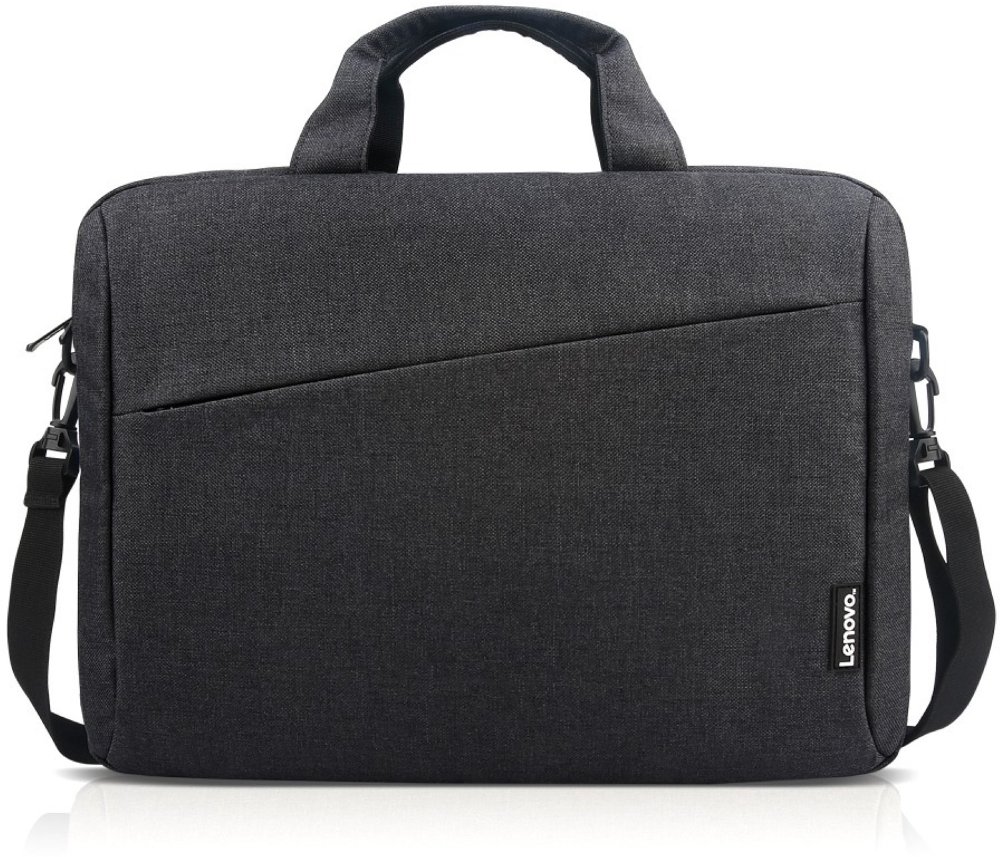
Tablet accessories help protect your device, make everyday tasks more comfortable, and adapt a portable screen to the way you live. Cases and sleeves cushion a tablet in a bag, screen protectors add a barrier against surface wear, keyboards support longer typing sessions, and compatible stylus pens bring more control to handwriting and drawing. Stands, mounts, chargers, and adapters round out a setup for reading, working, watching, or keeping in touch. The best fit starts with your tablet’s exact model and generation, not just its screen size. Two tablets with similar displays can have different dimensions, camera positions, charging ports, and button layouts, so a properly matched case leaves essential features easy to reach. A slim folio slips neatly into a work tote and often folds into a viewing support, while a padded sleeve adds protection during travel without staying attached during use. Flexible silicone and thermoplastic polyurethane can provide a grippy feel, while rigid polycarbonate shells add structure. Fabric covers offer a softer texture; leather and synthetic leather bring a more tailored look, though cleaning needs and wear patterns vary by finish. For a tablet that moves between a kitchen counter, a child’s homework spot, and the family room, reinforced corners and secure closures may matter more than a barely-there profile. Raised edges can help keep the screen from touching a flat surface, but no case makes a device damage-proof. Tempered glass screen protectors provide a smooth surface and an added layer against scratches, while thin films offer a lower-profile option. Matte or paper-textured finishes can reduce reflections or create more resistance under a stylus, with possible trade-offs in display clarity and pen-tip wear. Accurate cutouts, good edge adhesion, and compatibility with the case help these protective layers work together. For shared household tablets, a surface that wipes clean easily can be especially useful after a day of recipe browsing, school assignments, and fingerprints.
For schoolwork, creative projects, and everyday communication, tablet keyboards and stylus pens can make a compact device feel better suited to the task. A keyboard is useful when a quick reply turns into several paragraphs, a student needs to finish an assignment away from a desk, or travel calls for a lighter work bag. Integrated keyboard cases keep the screen and keys together, while separate wireless keyboards allow more freedom to position each piece. Key spacing, keyboard weight, connection type, and charging requirements all affect daily comfort. A built-in trackpad may simplify navigation, but shortcut keys and gestures depend on the tablet’s operating system and app support. Small keyboards save space, though someone who types for hours may prefer a roomier layout. Stylus compatibility deserves equally close attention. Basic capacitive styluses generally mimic a fingertip for tapping and simple marks; active pens may support finer input, pressure sensitivity, tilt response, or palm rejection when the tablet and software support those features. Those differences matter to an illustrator shading a sketch, a student writing equations, or someone annotating a document without printing it. A comfortable barrel, replaceable tips, and a secure storage spot can make a pen easier to use and keep track of. Tablet stands bring another kind of flexibility, holding a recipe above a busy counter or lifting a video call closer to eye level. A broad base, nonslip contact points, and hinges that hold their position help keep the screen steady during taps. Adjustable viewing angles are useful when switching from reading to drawing, while portrait and landscape support accommodate different apps. For a setup that includes both a tablet and a computer, Laptop Accessories can complement a shared workspace, with device compatibility still guiding each choice. A stand that works well on a firm desk may be less stable on a soft couch cushion, and a folding case may feel steadier on a table than on your lap. Matching the support to where you actually sit helps keep the setup comfortable.
Charging and connectivity accessories help keep a tablet useful throughout a full day, whether it’s following along with a lesson, entertaining passengers, or displaying a recipe while dinner comes together. Matching the connector is only part of choosing a charger: the tablet, cable, and power adapter must also support compatible charging standards to deliver the expected performance. A charger’s maximum wattage doesn’t guarantee that a tablet will charge at that rate. Cable length matters in practical ways, too. A shorter cord keeps a desk tidy, while a longer one can reach an outlet beside a reading chair without pulling tightly against the port. Reinforced strain relief near the connectors can help with repeated handling, although even a sturdy cable benefits from gentle bends rather than tight wrapping. Portable power banks can be useful during travel or long stretches away from an outlet, with capacity, output, weight, and transportation rules worth considering. Hubs and adapters may connect storage, keyboards, or external displays, but a matching plug alone doesn’t guarantee support for data transfer or video output. For daily care, follow the accessory manufacturer’s directions, use a clean microfiber cloth where appropriate, and keep moisture away from connectors and openings. Removing a case occasionally makes it easier to clear away trapped grit that could rub against the tablet’s finish. Check stand hinges, case corners, and cable coverings for wear, especially when accessories travel in a backpack every day. Intended use also makes tablet accessories thoughtful gifts. A lightweight sleeve may suit a commuter, a compatible stylus can support a budding artist, and an adjustable stand can make reading or family video calls more comfortable. Confirming the recipient’s exact tablet model helps ensure the gift fits both the device and the routine. During the cooler months, when more reading, movie watching, and catching up may happen indoors, practical accessories can help a tablet move comfortably from a desk to a favorite chair. A few well-matched pieces can provide protection, dependable connections, and a more natural way to handle the activities your tablet already supports.
Read More